Changing the clothes in a photo is a preview. Printing those clothes is a different job: you need a graphic that survives ink, a placement that survives a wash, and a product that shows up at your door. This guide is that second job — from a prompt to a real t-shirt, hoodie, or poster — and how to keep the print from looking like a screenshot ironed onto cotton.
If you only want to see an outfit on your own photo, start with our AI clothes changer guide. If you want something you can wear, keep going.
Two different tools, two different files
A virtual try-on model redraws a photograph. A print file is a flat graphic — usually with a transparent background — that a press will drop onto fabric or paper at a fixed size. Mixing the two is how people end up with muddy photos of a person printed on a hoodie, or with tiny type that looked sharp on a phone and vanished on a chest print.
For merch you want the second kind of file: high contrast, simple shapes, not much small text, and enough empty space that it still reads from a couple of metres away.
Step by step: prompt, place, print
1. Pick the product before you pick the art
A chest print on a tee is not the same canvas as a mug wrap or a 24×36″ poster. On Caistom you can design on t-shirts, hoodies, sweatshirts, tanks, hats, totes, mugs, and posters, with live mockups as you work. Choose the garment (and the colour) first so you know the print area you are filling. Dark fabric wants a brighter graphic; a busy all-over idea belongs on a poster, not a pocket.
2. Write a print-aware prompt
Describe the graphic, not a photoshoot. Useful prompts name the subject, the style, and the background in one breath:
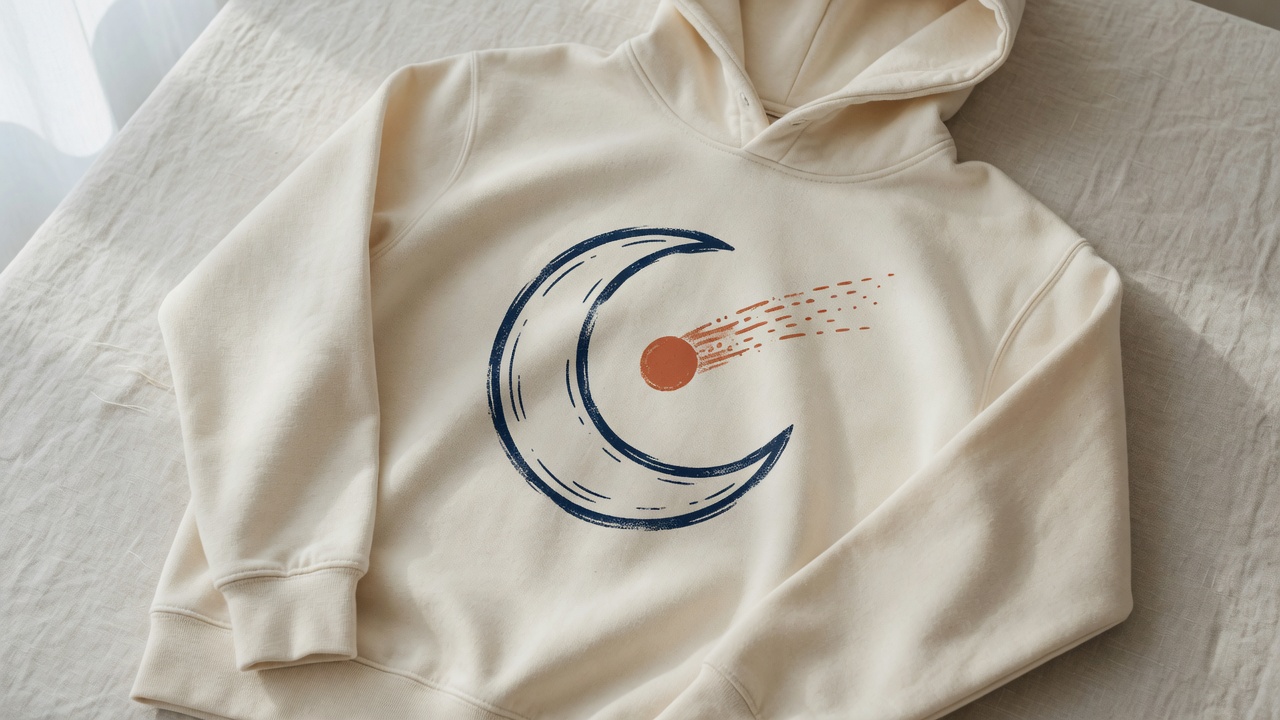
- "line-art crescent moon and comet, navy on transparent, screen-print style, high contrast, no text"
- "simple geometric tiger head, bold flat colours, centered, no photoreal fur, transparent background"
- "retro sunset stripes, three colours only, wide landscape, no people, no logo"
Words that help on fabric: flat, bold, high contrast, limited palette, transparent background, centered, screen print. Words that fight the press: photoreal, tiny lettering, busy collage, watermark, mockup, holding a product.
Caistom generates the image onto the canvas with a transparent background, which is what you want. Guests get a few free generations a day; signing in with your Alexiuz account raises the allowance. You can also skip AI and upload your own file, then add type in the editor.
3. Place it like a print, not like a sticker
The editor is layered: move, scale, rotate, reorder. On a shirt, keep the graphic inside the chest box — not kissing the collar, not sliding into the armpit seam, not so large it wraps around the side in the mockup. Leave a margin. If you want front and back, design them as two prints and pick the matching product at order time; they are not one file.
4. Proof the mockup the way a printer would
Zoom until you can see edges. Check that light colours still show on the fabric colour you picked. Check that nothing important sits on a seam or a pocket. If the graphic is a photograph of a scene, ask whether you actually want that scene on cloth — photos of faces and fine gradients often look cheaper in ink than they did on screen.
5. Order one, then decide if you want ten
There is no minimum. A single tee starts around $23 before shipping; a hoodie around $34. Every design gets a quick human review before it goes to print, which is there to catch the obvious disasters (and anything that looks like it might infringe someone else's work). Production runs through Gelato's network in 30+ countries, so the item is usually printed near the delivery address — typically produced within 72 hours and at the door within about a week, depending on where you are. Caistom ships to most of the world from the browser, iPhone, or Android app.
Prompt details that actually change the print
- Name the palette. "Navy, terracotta, cream, nothing else" beats "colourful." Extra colours cost you contrast.
- Say "no text" unless you will set the type yourself. Generated lettering is the first thing to fall apart at print size. Add words in the editor, in a real font, large.
- Ask for transparency. A white box around the art becomes a white rectangle on the shirt.
- Keep one subject. A mascot, a symbol, a skyline. Collages read as noise at walking distance.
- Generate a few, pick one, then scale. Do not composite six near-misses. One strong graphic at the right size beats a crowded chest.
Where it still looks cheap — honestly
- Tiny type and slogans the model invented. If you can barely read it on the mockup, nobody will read it on the street.
- Photoreal people and licensed characters. Faces go muddy; someone else's mascot is a review reject waiting to happen. Original shapes print cleaner and stay yours. (If you care about who owns the file, read our AI copyright guide.)
- Low-contrast pastels on heather fabric. Pretty on a backlit phone, invisible on a washed hoodie.
- Edge-to-edge photos. Full-bleed scenes on a tee often look like a stretched desktop wallpaper. A graphic with air around it looks designed.
- The mockup is not the garment. Ink sits on cotton. Slightly softer, slightly less neon. If the design only works as a glowing screen image, simplify it.
What people actually print
Band-of-one merch for a drop, a studio logo that used to live only on a website, a joke that is funnier on a tote than in a group chat, a poster of a graphic that started as a shirt idea, Halloween one-offs that do not need a 50-piece run. The useful pattern is the same: one idea, one product, one order — then reprint if it earns a second.
If the endgame is selling the work rather than wearing it, the marketplace side is in Can I Sell AI-Generated Art?
Try it
Caistom is free to design in. Open the editor in a browser, or the iOS / Android app, prompt a graphic onto a shirt or hoodie, and order a single piece if the mockup still looks good when you squint. Your Alexiuz account works there. For styling ideas on a photo of yourself — not a print file — use the clothes changer instead.